Double-click to edit...

We try to keep all information here as up-to-date as possible but for those who want to be in-the-know as soon as possible the first place we upload EMF updates is here: https://drkwik.com/updates-developments
Laptop/Tablet/Desktop Chips Ultra
UPGRADED & NEW TO HANDLE A.I. See more below.
Compatibility: Laptops, tablets, iPads, Kindles, and desktop PCs. (See installation instructions for laptop-specific placement.)
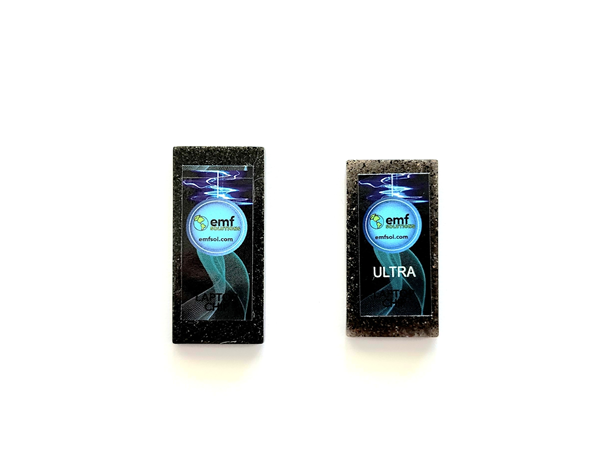
What's in the box: Two chips per device. The second chip is slightly smaller to fit the new Ultra form factor.
Key features:
A.I.-ready: Remediates EMF and "dirty electricity" even while streaming video or running A.I.-powered applications — conditions our testing shows produce the highest combined EMF and subatomic chaos levels.
Portable: Attaches securely to the bottom of your laptop, so protection travels with you.
Plant-based resin: All chips are hand-crafted from a special plant-based resin, avoiding the chemical-filled resins used in most competing products. Minor surface imperfections are normal and expected.
Thousands of testimonials, many in Google Reviews. Click here
Why the Ultra upgrade matters:
Applied Kinesiology and muscle-testing practitioners have reported that laptops and tablets now test significantly worse — even older models — as A.I. becomes embedded in more software and internet services. Practitioners tell us devices using A.I. features test "off" unless paired with this upgraded Ultra chip. If you use your laptop or tablet regularly, especially with A.I.-enabled apps, the Ultra version is the recommended choice.
Also available in our resin line: Cell Phone Chips, Device Chips, Regular & XL Bands.
Description
Practitioners who use Applied Kinesiology or Muscle Testing are reporting that even old laptops are suddenly testing worse due to A.I. being infused into so many programs and through the internet. But have no worries when using this upgraded Ultra product!
It is increasingly important to get the upgraded “Ultra” version of the Laptop Chips due to one major change in about 2026…the introduction of A.I. Holistic Practitioners have found and reported to us that when laptops or tablets use A.I. that they now test off unless using the new upgraded Laptop Chip Ultra.
ALL OF OUR PRODUCTS are hand-crafted and use a special plant based resin (so they can be healthier than the normal chemical-filled resin products), therefore you will see some imperfections on our resin-using products (all Chips which are used in: Cell, Laptop, Device Chips plus Regular & XL Bands
Dimensions: 2.0″ x 1.0″ x 0.13″
See below for instructions.
NOTE: One chip is slightly smaller than the other. That is what makes this the “Ultra” vs the older previous versions which do not have enough to properly address the subatomic chaos of A.I.
INSTALLATION INSTRUCTIONS
(See instruction videos as well as written instructions)
WRITTEN INSTRUCTIONS
Laptop Chip Ultras
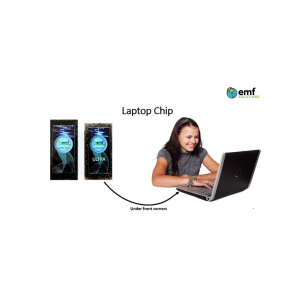
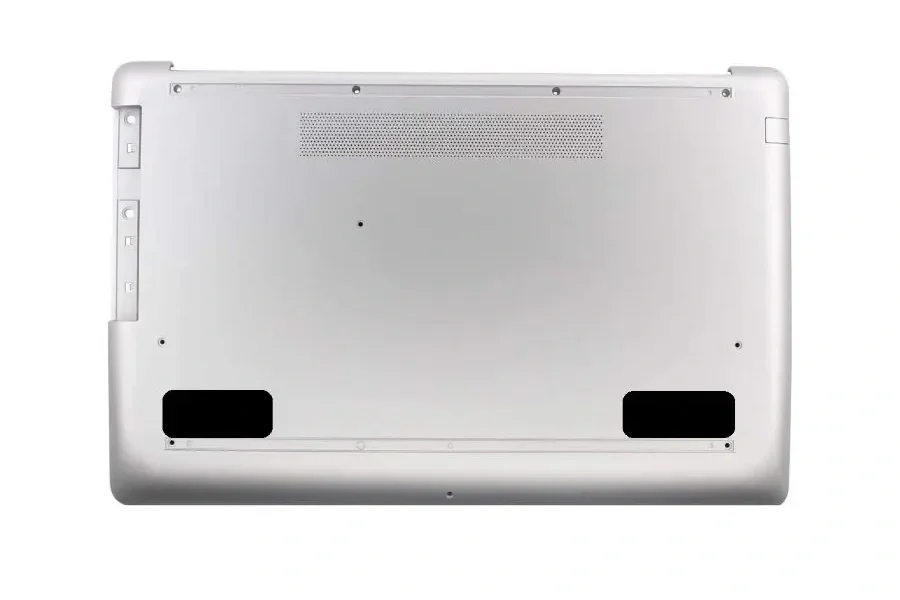
Use tape to adhere the two chips under the front corners of your laptop, like in the picture. Please use your own tape and read why here. If the bottom of your laptop or tablet is smooth we suggest using packing tape. If the bottom is rough with a texture we suggest using duct tape or gaffer tape (packing tape “could” come off depending on how rough you are with your laptop or tablet. We do not suggest using masking tape, scotch tape, or electric tape which are likely not as strong.
We stopped including double-sided sticky tape so that it will be much easier to remove the Chips from one laptop and put on another. (The double-sided 3M tape was so strong it made many chips break when trying to remove them. Therefore, we now suggest choosing your own tape.)
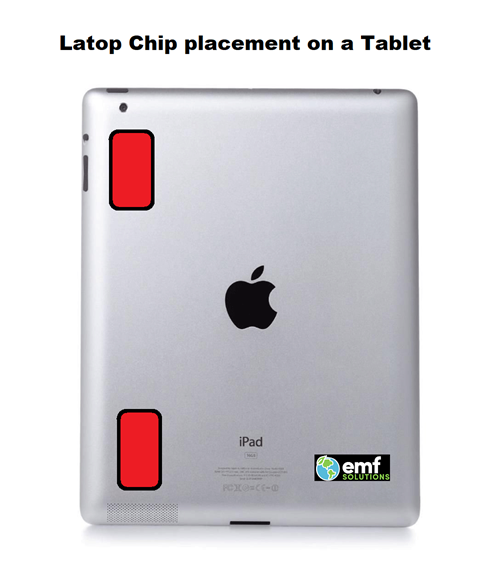
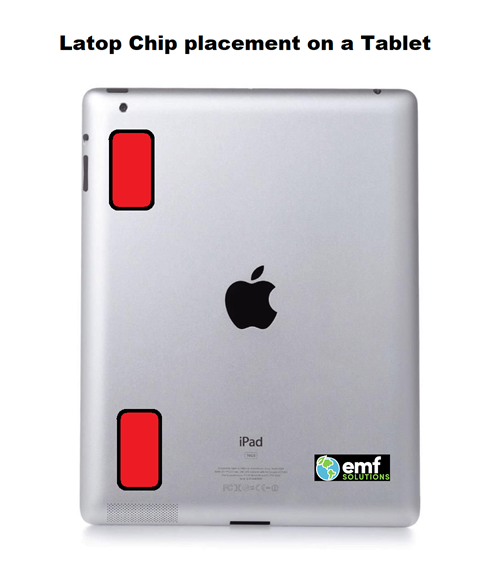
TABLETS – the ideal placement is to put one of the Laptop Chip Ultras in the corner near the camera lens & the other on a different corner of the tablet. See illustration below – Chip Placement is in RED.
PERSONAL COMPUTERS – Since the introduction of A.I. all PCs should now use the Laptop Chip Ultras and NOT the Device Chip anymore. Just stack the two Laptop Chip Ultras on top of each other then use any type of tape to attach the chips to the electric cord as close to the PC as possible.
TABLETS – the ideal placement is to put one of the Laptop Chips in the corner near the camera lens & the other on a different corner of the tablet. See illustration BELOW - Chip Placement is in RED.